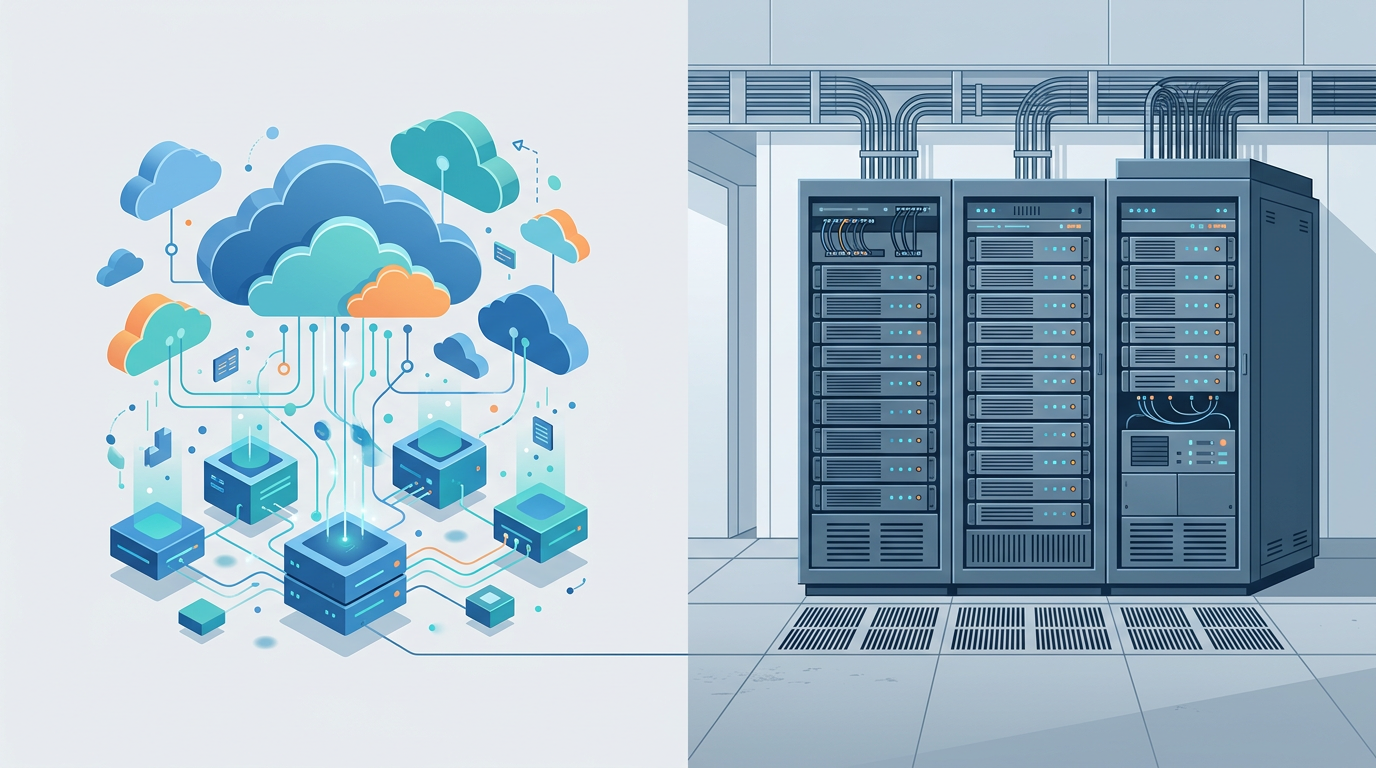
Choosing the right foundation for your company’s applications, websites, and data is one of the more consequential IT decisions a growing business makes. Two options dominate the conversation: business cloud hosting and dedicated servers. Both can deliver reliable, high-performance infrastructure, but they operate on fundamentally different models. The right choice depends on how your workloads behave, how your budget is structured, how much control your team needs, and what compliance obligations you carry.
This guide breaks down what each option actually is, how they differ across the factors that matter most, and how to evaluate providers so you can make a confident, well-informed decision.
What Business Cloud Hosting Is
Cloud hosting delivers computing resources, such as processing power, memory, storage, and networking, from a pool of virtualized infrastructure that typically spans many physical machines. Instead of your application living on one specific box, it runs on virtual instances that can be provisioned, resized, or moved across the provider’s underlying hardware.
The defining characteristic of business cloud hosting is elasticity. You can add capacity when demand spikes and scale it back when things quiet down, often within minutes and frequently through an automated process. Because the infrastructure is abstracted away, you generally do not manage the physical hardware yourself; the provider handles the servers, the facility, and much of the underlying maintenance.
Cloud hosting comes in several forms, including public cloud (shared underlying infrastructure with strong logical isolation), private cloud (dedicated virtualized resources), and hybrid arrangements that combine both. For most businesses, the appeal is flexibility: pay for what you use, grow without buying hardware, and lean on the provider’s global footprint.
What Dedicated Servers Are
A dedicated server is a physical machine reserved entirely for a single customer. Every CPU cycle, gigabyte of RAM, and byte of disk belongs to you, with no other tenants sharing that hardware. You, or a managed provider, install and configure the operating system, software stack, and security controls to your exact specifications.
Dedicated servers appeal to businesses that want maximum control and predictable, consistent performance. Because no other workloads compete for the same physical resources, you avoid the “noisy neighbor” effect and can tune the environment precisely. Dedicated servers can be self-managed (you handle everything) or managed (the provider takes on updates, monitoring, and support), which affects both cost and the burden on your internal team.
Key Differences That Matter
Scalability
This is often the deciding factor. Cloud hosting scales quickly and granularly. When traffic surges, such as during a product launch or seasonal peak, you can add resources on demand and release them afterward. Dedicated servers scale in larger, slower steps: expanding capacity usually means provisioning additional hardware or upgrading components, which takes more time and planning. If your workload is spiky or unpredictable, the cloud’s elasticity is a significant advantage.
Cost Model
Cloud hosting typically favors an operating-expense model, where you pay recurring fees based on consumption. Dedicated servers lean toward fixed, predictable costs, and can involve capital expense if you purchase hardware outright. Neither is universally cheaper; the economics depend on utilization. Steady, high, and predictable workloads can be very cost-effective on dedicated hardware, while variable workloads often waste money on always-on dedicated capacity.
Performance
Dedicated servers offer consistent, isolated performance because resources are not shared. Cloud performance is generally excellent and can burst higher than a single server through added instances, but a given virtual instance shares underlying infrastructure. For latency-sensitive or resource-intensive applications with steady demand, dedicated hardware provides predictability. For workloads that need to scale horizontally across many nodes, the cloud is usually the better fit.
Control and Customization
Dedicated servers give you deep control over hardware choices, operating system, and configuration. Cloud hosting abstracts much of the hardware layer, trading some low-level control for convenience and speed. If you need specialized hardware or very specific tuning, dedicated may be necessary. If you value provisioning speed and managed services, the cloud wins.
Maintenance
With cloud hosting, the provider maintains the physical infrastructure, and many operational tasks can be automated or offloaded. With dedicated servers, responsibility depends on whether the service is managed or unmanaged. Unmanaged dedicated hosting places patching, monitoring, and hardware coordination on your team, which requires in-house expertise.
When a Business Should Choose Each
Consider cloud hosting when:
- Your traffic or workload is variable, seasonal, or hard to predict.
- You want to scale up or down quickly without buying hardware.
- You prefer to offload infrastructure maintenance to the provider.
- You are building distributed applications that benefit from multiple regions.
- You want to minimize upfront investment and start small.
Consider dedicated servers when:
- Your workload is steady, high, and predictable over time.
- You need consistent, isolated performance with no shared resources.
- You require deep hardware control or specialized configurations.
- Specific compliance or contractual terms favor single-tenant hardware.
- Your team has the expertise, or budget for a managed provider, to run it well.
Many businesses ultimately adopt a hybrid approach, running steady core workloads on dedicated infrastructure while using cloud capacity for bursts, testing, and elastic services.
Security and Compliance Considerations
Both models can be highly secure, but the responsibilities differ. Reputable cloud providers invest heavily in physical security, network protection, and certifications, and they typically operate on a shared responsibility model: the provider secures the underlying infrastructure while you remain responsible for your data, access controls, application security, and configuration. Misconfiguration, rather than the platform itself, is a common source of cloud security incidents, so disciplined access management and encryption matter.
Dedicated servers offer single-tenant isolation, which some organizations prefer for sensitive workloads, but that isolation does not remove your obligation to patch, harden, and monitor the environment. On compliance, if you operate in a regulated industry, verify that the provider supports the frameworks you must meet, offers clear documentation, and can accommodate requirements around data residency, encryption, audit logging, and where your data is physically stored.
How to Evaluate Providers
Regardless of which model you choose, the provider’s quality is as important as the technology. Weigh these factors carefully:
- Uptime SLA: Review the service level agreement for its guaranteed availability, how downtime is measured, and what remedies or credits apply if the provider falls short. Read the fine print rather than the headline figure.
- Support: Confirm support availability, response commitments, and escalation paths. For critical systems, around-the-clock support with fast response matters more than a lower price.
- Data center locations: Proximity to your users affects latency, and location affects data residency and compliance. Providers with multiple regions give you flexibility.
- Backups and disaster recovery: Ask how backups are performed, how often, how long they are retained, how quickly you can restore, and whether recovery is tested. A backup you cannot restore quickly is not real protection.
- Transparency and track record: Look for clear documentation, status pages with incident history, and a reputation for honest communication during outages.
Pricing Models to Expect
You will generally encounter two broad approaches, and understanding them helps you forecast costs accurately.
Pay-as-you-go pricing, common in cloud hosting, charges based on consumption such as compute time, storage used, and data transferred. Its strength is that you pay only for what you use, which is efficient for variable workloads. Its risk is unpredictability: costs can climb if usage grows unchecked or if resources are left running. Budgeting requires monitoring and cost controls.
Fixed pricing, common with dedicated servers, charges a predictable recurring amount for a defined set of resources. Its strength is budget certainty, which finance teams appreciate. Its trade-off is that you pay for the full capacity whether or not you use it, so underutilized fixed resources can be wasteful. Some providers also blend models, offering reserved or committed-use discounts in exchange for longer commitments.
Rather than focusing on a single monthly figure, evaluate total cost against expected utilization, potential overage or transfer charges, and the operational effort each option requires.
Migration Tips
Whether you are moving to the cloud, to dedicated hardware, or between providers, a disciplined migration reduces risk:
- Inventory first: Document your applications, dependencies, data volumes, and performance requirements before you move anything.
- Test in a staging environment: Replicate the new setup and validate functionality and performance before cutting over production.
- Back up everything: Take verified backups and confirm you can restore them before the migration begins.
- Plan for data transfer time: Large datasets take time to move; account for it and consider off-peak windows.
- Migrate in phases: Where possible, move noncritical workloads first to build confidence and catch issues early.
- Have a rollback plan: Define clear criteria and steps to revert if something goes wrong during cutover.
- Monitor closely afterward: Watch performance, errors, and costs in the days following migration and tune as needed.
Frequently Asked Questions
Is cloud hosting always cheaper than a dedicated server?
No. Cloud hosting can be more cost-effective for variable or unpredictable workloads because you pay for what you use. For steady, high-utilization workloads, a dedicated server’s fixed cost can be more economical. The right answer depends on your usage patterns, not a blanket rule.
Can I move from dedicated to cloud later, or the other way around?
Yes. Many businesses migrate between models as their needs change. The effort depends on how your applications are built and how tightly they are coupled to a specific environment. Designing with portability in mind makes future moves smoother.
Which option is more secure?
Both can be highly secure when configured and managed properly. Dedicated servers provide single-tenant isolation, while cloud providers offer robust, certified infrastructure under a shared responsibility model. In practice, your own configuration, access controls, and patching discipline often matter more than the model you choose.
What is a hybrid approach?
A hybrid approach combines both models, typically running steady core workloads on dedicated infrastructure while using cloud resources for scaling, testing, or elastic services. It lets businesses balance predictable performance and cost with on-demand flexibility.
How do I decide which is right for my business?
Start with your workload behavior (steady versus variable), your budget structure (fixed versus consumption-based), your control and compliance requirements, and your team’s operational capacity. Map those factors against the differences outlined above, and the stronger fit usually becomes clear.