A virtual private network, or VPN, has become an essential tool for anyone who values privacy, security, and open access online. But with hundreds of services competing loudly for your attention — and many making claims they cannot back up — choosing the right one is genuinely confusing. This guide explains in plain language what a VPN really does, when you need one, and how to pick a service you can actually trust.
What a VPN actually does
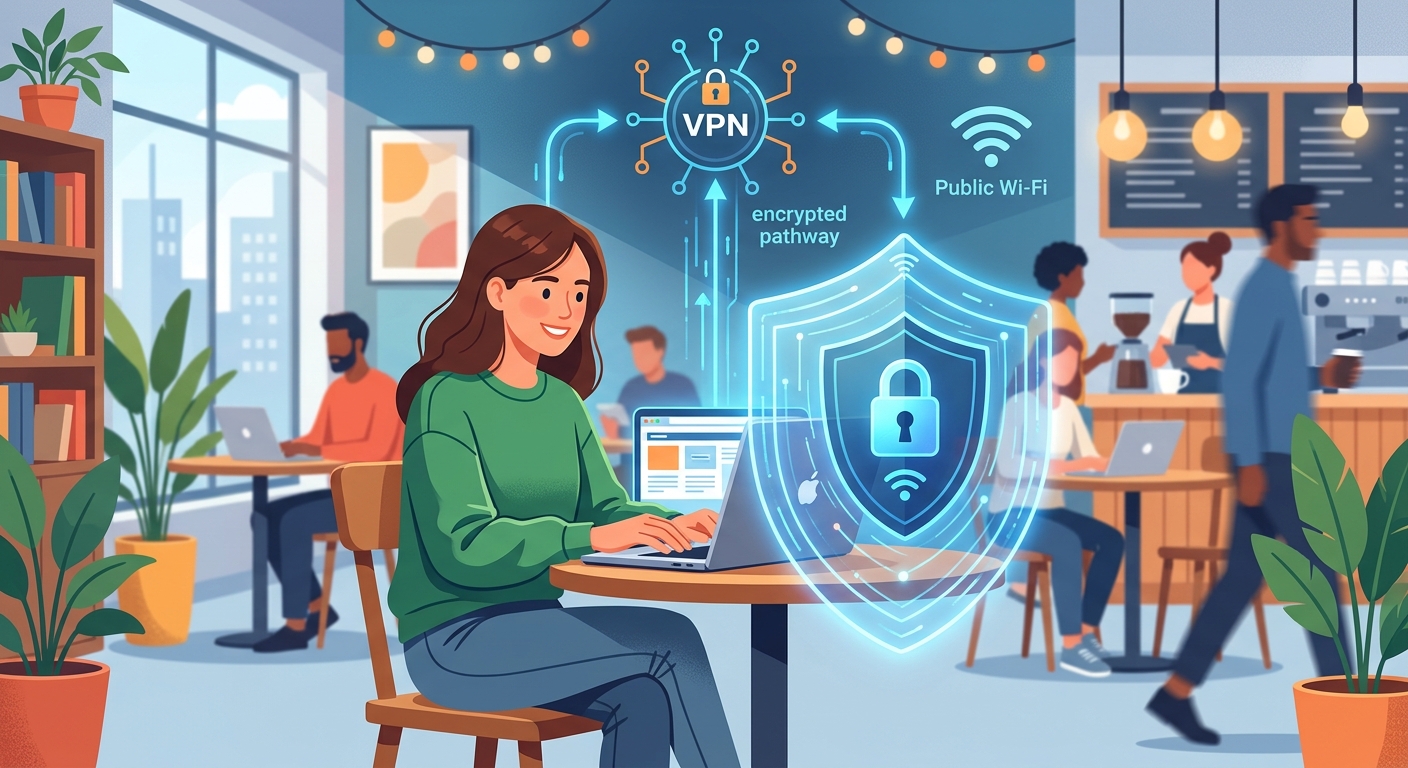
A VPN encrypts your internet connection and routes it through a server in a location you choose. Two things happen as a result. First, your real IP address is hidden, so websites and your network operator see the VPN server’s location instead of yours. Second, your traffic is scrambled, so your internet provider, mobile carrier, or anyone snooping on public Wi-Fi cannot read which sites you visit or what you send. It is like sending your internet activity through a private, sealed tunnel.
Why people use VPNs
- Privacy: keep your browsing habits away from advertisers, data brokers, and network operators.
- Security on public Wi-Fi: protect passwords and banking sessions on café, airport, and hotel networks, where attackers often lurk.
- Access: reach websites and streaming libraries that differ from one country to another.
- Safer remote work: connect to work resources over an encrypted, protected connection.
How to choose a trustworthy VPN
The single most important factor is trust, because your VPN provider can technically see your traffic. That makes their honesty and security practices paramount. Look for:
- An independently audited no-logs policy: the provider should not record what you do, and that claim should be verified by an outside auditor rather than just promised.
- Strong encryption and modern protocols: industry-standard security keeps your tunnel private.
- A large server network: more countries and servers mean better speeds and more choice.
- Good speed: a quality VPN adds only minimal slowdown to your connection.
- Device support: apps for your phone, computer, and even your router, with several simultaneous connections allowed.
Free versus paid VPNs
Free VPNs are tempting, but running a secure global network is expensive, so many free services fund themselves in ways that undermine your privacy — logging and selling user data, injecting ads, or throttling your speed. If privacy is your goal, a reputable paid service with a money-back guarantee is almost always worth the modest cost. If you only need occasional, light protection, choose a free tier from a well-known provider with a transparent, audited privacy policy rather than an unknown app.
Using a VPN responsibly
A VPN meaningfully improves your privacy, but it is not a magic cloak. It does not make you completely anonymous, and it is not a licence to break the laws of your country. Get the most protection by combining it with good habits: strong, unique passwords, two-factor authentication on important accounts, and keeping your devices and apps updated.
How to set up and test your VPN
Getting started with a VPN is simpler than many people expect. After choosing a provider, download their official app for your device, sign in, and connect to a recommended server — usually one nearby for the best speed. Most quality apps connect with a single tap and run quietly in the background.
Once connected, it is worth confirming the VPN is actually working. Check that your visible location has changed to the server’s country, and make sure the connection stays stable as you browse. A good habit is to enable the app’s automatic-connect feature for untrusted networks, so you are protected the moment you join public Wi-Fi without having to remember to switch it on.
VPN features worth understanding
Beyond basic encryption, a few features genuinely improve your experience and security:
- Kill switch: automatically cuts your internet if the VPN connection drops, preventing your real details from leaking during that gap.
- Split tunnelling: lets you route some apps through the VPN while others use your normal connection, which is handy for balancing privacy and speed.
- Multiple protocols: the option to switch connection methods can help when a network is slow or restrictive.
- Simultaneous connections: protecting several devices — phone, laptop, tablet — under one subscription.
You do not need to master every setting, but knowing these exist helps you choose a service that fits how you actually use the internet.
Common VPN myths
Several misunderstandings lead people to trust a VPN too much or too little. A VPN does not make you completely anonymous — your accounts, cookies, and browsing habits can still identify you, so good privacy also means careful account and cookie management. It also does not protect you from downloading malware or falling for phishing; those require caution and up-to-date security software.
On the other hand, some people wrongly believe a VPN will cripple their internet speed. With a reputable provider and a nearby server, the slowdown is usually minimal and unnoticeable for everyday tasks. The realistic view is the useful one: a VPN is a strong, valuable layer of privacy and security, best used alongside — not instead of — other good habits.
Choosing servers for speed and access
Which server you connect to has a real effect on your experience, so it helps to choose deliberately rather than accepting the default every time. As a general rule, connecting to a server geographically close to you gives the fastest speeds, because your data travels a shorter distance. For everyday privacy and secure browsing, a nearby server is usually the best choice.
When you want to appear in a specific country — for example, to access services available there — pick a server in that location instead, accepting that a more distant server may be a little slower. Many quality VPNs also show server load, so choosing a less crowded server can improve performance. Experiment a little: switching servers is instant, and finding the right balance of speed and location for your needs takes only a moment.
Protecting all your devices
Privacy is only as strong as your least-protected device, so extend your VPN across everything you use. Reputable providers offer apps for phones, tablets, computers, and often browser extensions, all covered by a single subscription with several simultaneous connections. Set the app to launch and connect automatically, especially on mobile devices that frequently join unfamiliar Wi-Fi networks.
For whole-home protection, some people install a VPN directly on their router, which secures every device on the network at once — including those that cannot run a VPN app themselves. Whatever your setup, remember that a VPN is one layer of a good security routine. Pair it with strong, unique passwords, two-factor authentication on important accounts, and prompt software updates, and you build genuine, everyday protection that follows you across all your devices and locations.
VPNs for streaming and travel
Two of the most popular everyday uses for a VPN are streaming and travel, and understanding how they work helps you get real value. When you travel, connecting to a server back home can let you access the services and websites you normally use, which may otherwise behave differently or be unavailable abroad. It also protects your data on the unfamiliar hotel and airport networks that travellers rely on so heavily.
For streaming, a VPN lets you appear to browse from a chosen country, which can change the content libraries available to you. Not every server works with every service, and speeds vary, so a provider with a large, fast network gives you the best experience. Always use these features within the terms of the services you subscribe to. Used sensibly, a VPN is a genuinely handy travel companion that keeps you connected and protected wherever you go.
What a VPN cannot do
Setting honest expectations is part of using a VPN wisely, because it is a powerful tool but not a cure-all. A VPN encrypts your connection and hides your IP address, but it does not make you invisible or immune to every online threat. It will not protect you from downloading malicious files, and it cannot save you from phishing scams that trick you into handing over your own information.
It also does not erase the trail you leave when you log into accounts, accept cookies, or share personal details willingly. And while it improves privacy, it is not a shield for illegal activity. The realistic view is the most useful one: treat a VPN as one strong layer in a wider set of good habits — alongside careful browsing, strong passwords, two-factor authentication, and up-to-date security software — and you will enjoy meaningful, everyday protection without a false sense of total invincibility.
Frequently asked questions
Is using a VPN legal?
In most countries, yes, VPNs are perfectly legal and widely used for privacy and security. A few countries restrict or regulate them, so check your local laws. A VPN does not make otherwise-illegal activity legal.
Will a VPN slow down my internet?
A good VPN adds only a small, often unnoticeable slowdown. Choosing a nearby server and a provider with a fast network keeps performance high.
Are free VPNs safe to use?
Some are acceptable for light use, but many free VPNs monetise your data or weaken your security. If privacy matters, a reputable paid provider is the safer choice.
Does a VPN make me completely anonymous?
No. It greatly improves privacy but does not guarantee total anonymity. Pair it with strong passwords, two-factor authentication, and cautious browsing habits.
Bottom line
The best VPN is one you can genuinely trust, that runs fast enough that you forget it is there, and that supports all your devices at a fair price. Prioritise a proven, independently audited no-logs provider, test it with a money-back guarantee, and you will gain real, everyday protection every time you go online.